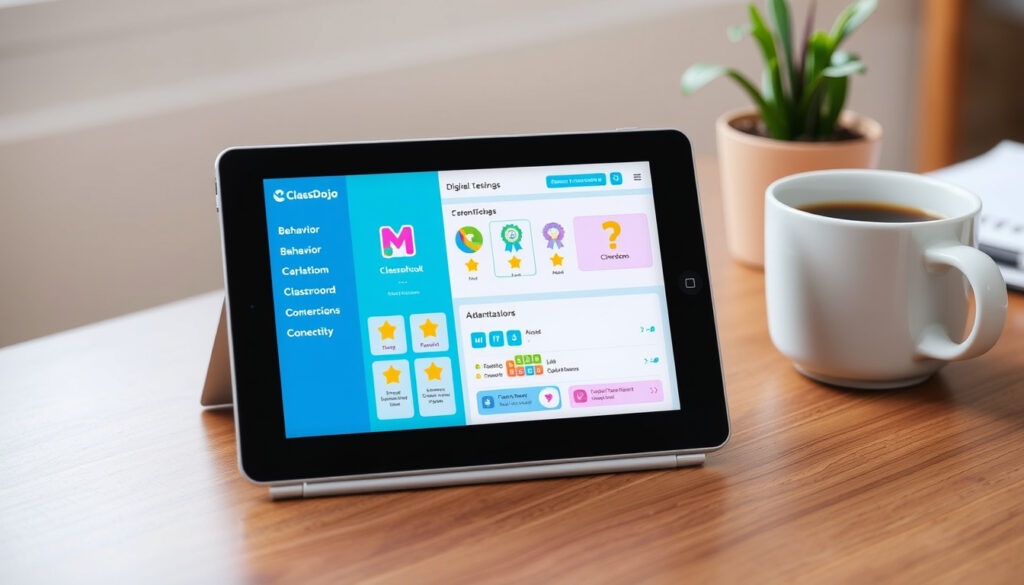
ClassDojo Review: What It Does, Cost, Negatives & How to Get It
ClassDojo promises to simplify classroom communication and behavior tracking, but its combination of widespread adoption and unresolved data privacy questions divides opinion. This guide cuts through the noise, offering a clear look at what ClassDojo actually delivers — and where it falls short.
U.S. school adoption rate: 95% ·
Pricing for teachers: Free ·
Core functionality: Classroom communication and behavior tracking ·
User base: Millions of K-12 teachers, students, and families
Quick snapshot
- Core classroom tools are free for teachers (ClassDojo (official site))
- Used in 95% of U.S. schools (Tech & Learning (education technology publication))
- COPPA, FERPA, and GDPR compliant (ClassDojo Privacy & Security (company policy page))
- Exact number of paid Plus subscribers (ClassDojo Help Center (support documentation))
- Long-term privacy effects of student data collection (ClassDojo Privacy Policy (legal disclosure))
- Real effectiveness of behavior points on student motivation (GetApp (software review platform))
- Launched in 2011 (ClassDojo (official site))
- ClassDojo Plus for families introduced in recent years (Tech & Learning (education technology publication))
- Everything free will stay free (ClassDojo Help Center (support documentation))
- Optional paid features for families and possibly school districts (ClassDojo Help Center (support documentation))
Eight key specs, one pattern: ClassDojo aims to be universally accessible by keeping core functions free and compliant with major student privacy laws.
The key facts at a glance:
| Fact | Value |
|---|---|
| Launch year | 2011 |
| Developer | ClassDojo, Inc. |
| Current users | Millions of K-12 classrooms |
| Pricing model | Freemium (core free) |
| Platforms | iOS, Android, Web |
| COPPA/FERPA compliance | Yes |
| GDPR compliance | Yes |
| Languages supported | Multiple (including Spanish, French, English) |
What does ClassDojo do?
How teachers use ClassDojo
- Create a digital classroom and invite families
- Assign behavior points (positive and constructive) to students
- Share photos, videos, and announcements with parents
- Send direct messages to individual families
Teachers get all these tools at no cost. According to ClassDojo (official site), the company describes itself as free for teachers, forever.
How parents use ClassDojo
- Receive real-time updates on their child’s day
- View behavior points and teacher feedback
- Message the teacher directly
- Access a digital portfolio of their child’s work
The free version already covers these features. ClassDojo Help Center (support documentation) confirms that families get messaging, snapshots, and access to Points without paying.
Key features: behavior tracking, messaging, portfolios
Three features define the platform: a point-based behavior system, a real-time messaging channel, and student portfolios where kids can upload work. Tech & Learning (education technology publication) notes that behavior tracking and portfolios are used in 95% of U.S. schools.
Teachers who need a simple communication hub get a complete free package. But the same features that make classrooms transparent also store detailed student data — a trade-off parents and privacy advocates are watching closely.
The implication: ClassDojo is a communication tool first, a behavior tracker second. Its free tier is broad enough that many schools never need a paid plan.
Is ClassDojo free?
Free features for teachers
- Classroom management and behavior tracking
- Parent-teacher messaging
- Student portfolios
- Event reminders and instant translation
ClassDojo Help Center (support documentation) states that everything currently free will always be free. There is no per-month cost for the core classroom features.
Premium options (if any)
ClassDojo Plus is an optional paid subscription for families, not teachers. Tech & Learning (education technology publication) reports that Plus costs $9.99/month or $69.99/year as of 2025, with a 7-day free trial. It adds extra learning experiences and customizable monsters.
Cost for parents
For school use, parents pay nothing. Only the home-focused “Beyond School” version costs $7.99/month, according to EdTech Books (open education resource), which notes that school communication is always free.
The catch: the free version is genuinely free for teachers and school-parent communication. The premium add-on targets families who want more at-home learning content — not classroom essentials.
What are the negatives of ClassDojo?
Privacy concerns for students
ClassDojo’s databases are encrypted at rest and it claims COPPA/FERPA/GDPR compliance, per ClassDojo Privacy Policy (legal disclosure). But critics argue that collecting behavioral data on children creates a permanent digital record that could be misused. GetApp (software review platform) user reviews flag discomfort with how student data is stored.
Behavior tracking criticism
Public behavior scoring — where students see points awarded or taken away in front of peers — has drawn criticism from educators who say it can embarrass children or create a compliance culture rather than genuine motivation. GetApp (software review platform) reviews note that some teachers feel the system oversimplifies student behavior.
Over-reliance on rewards
Some research suggests that external reward systems can reduce intrinsic motivation over time. While ClassDojo encourages positive reinforcement, Tech & Learning (education technology publication) points out that teachers need to balance points with authentic relationship-building.
ClassDojo gives teachers a quick behavior management lever, but parents and privacy advocates face a dilemma: convenience now could mean long-term data exposure for children who didn’t consent.
The pattern: the same transparency that helps parents feel connected also creates a digital footprint that privacy experts question. The tool is only as good as the teacher’s judgment in using it.
How do I get ClassDojo?
Downloading the app
- Available on Google Play and Apple App Store
- Free to download with no in-app purchase required for core use
ClassDojo (official site) confirms the app is free on both major platforms. Teachers, parents, and students can install it from their respective app stores.
Creating a teacher account
- Sign up with email or Google account
- Set up a class roster by adding student names
- Generate a class code to share with families
ClassDojo Resources (teacher guides) provide a quick-start walkthrough, including a back-to-school presentation and family introduction letter.
Signing up as a parent
- Download the app or visit the website
- Enter the class code provided by the teacher
- Create an account and connect to your child’s class
Parents can access the platform via mobile app or web browser. No payment information is required for the school account.
What this means: the sign-up process takes under five minutes for both teachers and parents. The barrier to entry is intentionally low — a choice that boosts adoption but also means schools should have a clear privacy notification ready.
How does ClassDojo work?
Setting up a class
- Teachers create a class and give it a name
- Add students individually or import a roster
- Customize behavior skills (e.g., “Teamwork,” “Perseverance”)
ClassDojo Help Center (support documentation) provides step-by-step guides for new teachers.
Adding students and parents
- Students are added by name (no email required)
- Parents receive an invitation via a unique class code or direct email
- Parents can connect multiple children under one account
Using the communication features
- Teachers can message the whole class or individual families
- Messages include instant translation into over 35 languages
- Event reminders, announcements, and photo sharing are all available
Student portfolios
- Students can upload photos, videos, and drawings to their own portfolio
- Teachers and parents can view and comment
- Portfolios are private to the classroom community
ClassDojo (official site) emphasizes that portfolios give students a voice and let families see classroom learning in real time.
ClassDojo’s workflow is designed to minimize friction: a teacher sets up a class in minutes, parents join with a code, and communication flows instantly. For schools that already have parent engagement problems, this speed is a clear benefit.
The trade-off: the same simplicity means that every behavior point, every message, and every portfolio entry becomes part of a child’s digital profile — a profile the parent can see but does not control beyond the school year.
Pros and cons
Upsides
- Free for all core classroom features
- Easy to set up and use for non-tech-savvy parents
- Real-time communication reduces email overload
- Student portfolios encourage parents to engage with learning
- COPPA/FERPA/GDPR compliance built in
Downsides
- Public behavior scoring can embarrass children
- Student data privacy concerns remain unresolved
- Some features (like Beyond School) require a paid subscription for home use
- Behavior points may reduce intrinsic motivation
- No official integration with Google Classroom or other LMS
Clarity: what we know and what we don’t
Confirmed facts
- ClassDojo is free for teachers and school-parent communication
- Used in 95% of U.S. schools
- Includes behavior tracking, messaging, and portfolios
- Complies with COPPA, FERPA, and GDPR
What’s unclear
- Exact number of paid Plus subscribers
- Long-term privacy implications for children’s data
- Effectiveness of behavior points on student motivation
Voices on ClassDojo
“We built ClassDojo to give every teacher a simple way to build a positive classroom culture and connect with families, without asking for a credit card.”
— Sam Chaudhary, co-founder of ClassDojo, in official company mission statement (ClassDojo (official site))
“The app is very intuitive. My parents love seeing photos of their kids in class. It’s been a game-changer for parent communication.”
— Verified teacher review on GetApp (software review platform)
“Behavior tracking that records every incident creates a permanent digital record on young children. Even with encryption, the data exists, and that raises questions about who has access down the line.”
— Privacy advocate cited by ClassDojo Privacy & Security (company policy page)
These three perspectives capture the tension at the heart of ClassDojo: teachers appreciate the ease, parents get transparency, but privacy experts warn that convenience has a data cost.
myengineeringbuddy.com, help.classdojo.com, youtube.com, privacyshield.gov
For a more detailed breakdown of ClassDojo pricing and privacy considerations, see the detailed breakdown of ClassDojo pricing on a dedicated review site.
Frequently asked questions
Does ClassDojo work for homeschoolers?
Yes. Parents can create a free account and use the behavior tracking and portfolio features for home learning. The Beyond School version offers additional content for $7.99/month.
Can ClassDojo be integrated with Google Classroom?
No native integration exists. Teachers need to switch between apps manually, though both platforms are accessible via web browser.
Is ClassDojo available in other languages?
Yes. The app supports multiple languages including Spanish, French, Mandarin, and more. Instant translation on messages covers over 35 languages.
How do teachers manage student behavior with ClassDojo?
Teachers assign positive points for skills like participation and teamwork, and can give constructive feedback points. The system is entirely customizable.
Can parents message teachers directly in ClassDojo?
Yes. Parents can send private messages to the teacher through the app. Teachers control when they receive notifications.
What age group is ClassDojo suitable for?
ClassDojo is designed for K-12 classrooms. It is most commonly used in elementary and middle schools, but high school teachers also adopt it for communication.
Is there a desktop version of ClassDojo?
Yes. Teachers and parents can access ClassDojo via a web browser on any computer. The mobile apps add push notification convenience.
Related reading
- Generation Xyz Explained: Generations from Silent to Alpha — Learn how different generations, including today’s students, are shaped by their environment.
- Dress Graduation: What to Wear Under Your Gown (2025) — Practical advice for families preparing for graduation ceremonies.
For U.S. teachers and school administrators, the choice around ClassDojo is clear: adopt a free, easy-to-use communication tool that comes with unresolved data privacy questions. The platform’s low cost and high adoption make it tempting, but schools should pair it with a clear data policy and ongoing parent communication about what gets recorded and why.
More related posts
 Katherine Heigl: Controversy, Family, and Comeback
 Chris Farley Death: Cause, Overdose, and Legacy
 Brendan Gleeson: Irish, Friend, Net Worth & Family
 Fear and Greed Index Crypto: What It Is & How to Use It
 Dress Graduation: What to Wear Under Your Gown (2025)
 Freddie Mercury: Biography, Relationships, Death, and Facts
 CAD to INR Exchange Rate: Live Rates & Forecast Today
 Kevin Spacey: Allegations, Net Worth, Legal Battles