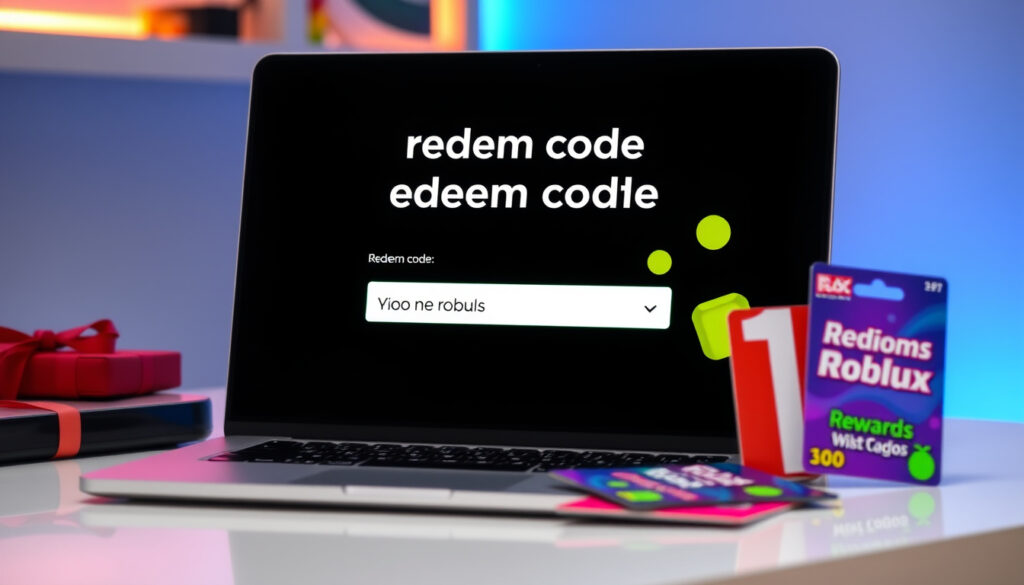
Roblox Redeem Code Robux: How to Claim Codes & Gift Cards
Grabbed a Roblox gift card or spotted a promo code floating around? Here’s the part most guides skip over: you need to go straight to roblox.com/redeem and be logged in first—everything else hinges on that. This walkthrough breaks down exactly how to claim both promo codes and gift cards, what to do when a code rejects you, and why that $10 card doesn’t always translate to a neat 1,000 Robux figure. By the end, you’ll know the official steps, the error-code shorthand, and which “free Robux” claims to ignore.
Official Redeem URL: roblox.com/redeem ·
Gift Card Bonus: up to 25% more Robux ·
Error 267 Meaning: Banned from an Experience ·
Common Pricing Query: $10 not exactly 1k Robux
Quick snapshot
- Redeem at roblox.com/redeem (Roblox Official)
- Login required before entry (Roblox Support Guide)
- One redemption per account for virtual item codes (Roblox Support Guide)
- Scratch PIN to reveal code (YouTube Tutorial: Mobile and PC Redemption)
- Redeem at roblox.com/redeem for Robux credit (Roblox Official)
- Up to 25% bonus on web redemption (Roblox Support: Gift Card Guide)
- Double-check code for O/0 or I/1 mix-ups (Pokibit: Troubleshooting Invalid Codes)
- Error 267 means banned from a specific experience, not your account (Roblox Support: Error Codes Reference)
- Already-used codes cannot be redeemed again (BuyUcoin: Redemption Failures and Fixes)
- Robux appears in account balance after gift card redemption (Roblox Support: Gift Card Guide)
- Virtual items land in your inventory under the correct category (Roblox Support Guide)
- Contact Roblox support if issues persist after basic checks (YouTube Tutorial: Unexpected Error Fix)
The table below consolidates key URLs and policy facts for quick reference during redemption.
| Label | Value |
|---|---|
| Redeem Page | roblox.com/redeem |
| Gift Cards Page | roblox.com/giftcards |
| Login Required | roblox.com/login |
| Bonus Offer | 25% more Robux on web redemption |
| Official Error Codes Guide | Roblox Support: Error Codes Reference |
| Code Case Sensitivity | Yes — enter exactly as shown |
How Do I Redeem a Promo Code?
Promo codes unlock free virtual items such as accessories or gear, and the process differs depending on whether you’re on a phone or a desktop browser. The most important rule: always use the web browser for promo codes, not the Roblox app.
On mobile phone
- Open your device’s browser and navigate to roblox.com/redeem
- Log into your Roblox account when prompted
- Enter the 21-character code exactly as it appears — codes are case-sensitive with no extra spaces
- Complete the Captcha verification if shown (YouTube Tutorial: Captcha Fix)
- Confirm redemption — the item appears in your inventory under the correct category (hat, backpack, gear, etc.)
From browser
- Visit roblox.com/redeem or the promo codes page at roblox.com/promocodes
- Sign in to your Roblox account
- Type or paste the code, double-checking for O/0 and I/1 confusion — this is the number-one reason codes fail (Pokibit: Troubleshooting Invalid Codes)
- Click “Redeem Code” and wait for the confirmation message
After login
- Verify you are logged into the correct account — redeeming on the wrong account wastes the code (BuyUcoin: Redemption Failures and Fixes)
- Check the My Purchases or Accessories section of your inventory for the new item
- If the item is missing, log out and back in, then check again
The standard redemption sequence involves four actions: logging in, navigating to the redemption page, entering the code, and confirming. Each step matters for a clean result.
- Log into your Roblox account at roblox.com/login
- Open roblox.com/redeem in your web browser (not the app)
- Type or paste the code exactly as shown, watching for O/0 and I/1 mix-ups
- Click Redeem Code, complete any Captcha, and verify the item or Robux balance updates
A virtual item code can only be redeemed to an individual account once — it cannot be traded, sold, or reissued (Roblox Support Guide). If you redeem it on the wrong account, Roblox support may not be able to recover it.
How to redeem and spend your Gift Card?
Gift cards add Robux credit to your account rather than specific items, and physical cards require scratching off a protective coating to reveal the PIN. The process is straightforward once you locate the code, but a few details trip people up.
Scratch PIN
- Gently scratch the silver area on the back of a physical card to expose the 21-digit PIN (YouTube Tutorial: Mobile and PC Redemption)
- For digital gift cards, the code is delivered via email — check your spam folder if it does not appear
- Write down or copy the code exactly, watching for characters that look similar (0 vs O, 1 vs I)
Redeem process
- Go to roblox.com/redeem and log into your account
- Enter the PIN where prompted and click “Buy Robux”
- Web redemption on desktop or laptop can yield up to 25% more Robux compared to some other purchase methods
- The Robux balance updates immediately after confirmation
Spending Robux
- Use Robux to buy avatar items, game passes, or in-game currency in individual experiences
- Robux cannot be converted back to cash or transferred between accounts in most circumstances
- Check region compatibility before purchasing — gift cards can be region-locked, which blocks redemption (YouTube Tutorial: 2026 Error Fix Guide)
Redeeming on web rather than through the app can net you up to 25% more Robux per dollar spent — a difference that adds up quickly for regular buyers.
Why isn’t my Roblox code working?
A rejected code usually comes down to a handful of common causes: a typo, an already-used code, a region mismatch, or an account standing issue. Working through each possibility takes just a few minutes.
Expired code
- Check whether the code has an expiration date — promo codes in particular have limited windows of availability (YouTube Tutorial: 2026 Error Fix Guide)
- Archived or event-limited codes may stop working after the associated event ends
- Visit pages like GamesRadar: Current Active Promo Codes List to see which codes are currently active
Already used
- Each code can only be redeemed once per account — trying it again will fail (BuyUcoin: Redemption Failures and Fixes)
- Check your inventory under the relevant category to confirm whether the item or Robux already arrived
Invalid format
- Codes are case-sensitive — no extra spaces before or after, and characters like dashes must match exactly as shown
- Common mix-ups: the letter O vs the number 0, the letter I vs the number 1, the letter S vs the number 5
- Clear your browser cache and try a different browser if the page misreads the code
- If errors persist, consult the Roblox Support error codes page for guidance
The implication: most redemption failures trace to user entry mistakes, not system errors—making careful code entry the single most effective troubleshooting step.
Always redeem directly at roblox.com/redeem. Third-party or unofficial redemption portals are frequently phishing sites designed to steal account credentials — they look convincing but send your login details elsewhere.
How much is $1 in Robux?
Robux pricing does not scale linearly with dollar amounts, and the actual rate you receive depends on how you purchase Robux and any bonus structures applied at the time.
$1 value
- Robux per dollar is not fixed — it varies by payment method, bonus tier, and whether you use a gift card versus a direct purchase
- The most common misconception: many buyers assume $10 buys exactly 1,000 Robux, but the actual amount can be higher or lower depending on current pricing and promotions
$5 and $10 breakdown
- Smaller gift card denominations tend to have lower bonus rates compared to larger ones
- Purchasing through the web portal rather than the app can increase the effective Robux-per-dollar rate by up to 25%
Gift card rates
- Gift cards at physical retailers sometimes carry different rates than digital versions sold online
- India-specific note: purchasing from unverified third-party platforms carries the risk of pre-redeemed or already-spent cards — buy from confirmed retailers only
Is error 267 a ban?
Error 267 is one of the most commonly cited Roblox error codes, and it has a specific meaning that many players misread as a permanent account ban.
Error 267 details
- Error 267 means you have been kicked or banned from a specific experience, not your Roblox account as a whole (Roblox Support: Error Codes Reference)
- The ban originates from the experience’s moderation system — you can still access other games and your account functions normally
Other error codes
- Roblox maintains a full error codes reference page on its support site covering dozens of codes
- Common ones include error 267 (experience ban), error 277 (connection issues), and error 279 (timeout) — each has its own resolution path
One-time code login
- Some players encounter error 267 due to a session conflict — logging out completely, closing the browser or app, and logging back in resolves it in many cases (YouTube Tutorial: Unexpected Error Fix)
- Accounts under 18 may face additional restrictions for certain redemptions or experience access, which can trigger unusual error behavior
The pattern: error 267 is scoped to one experience, not the account—players who understand this avoid unnecessary panic and can retry after switching games or restarting their session.
Confirmed facts
- Official redemption page is roblox.com/redeem
- Gift cards add Robux; promo codes unlock items
- Error 267 is an experience-level ban, not an account ban
- Codes are case-sensitive and one-time use
- Up to 25% more Robux on web redemption
What’s unclear
- Exact Robux-per-dollar rate varies by purchase channel and current promotions
- Whether specific promo codes remain active depends on event timing not publicly announced
What people say
Codes are case sensitive, so make sure you enter letters, numbers, and dashes exactly as shown. Per bescanviar el teu codi de Roblox, vés a Guru Nanda pulling oil review.
— Redeem Error Tutorial, YouTube: 2026 Error Fix Guide
A virtual item code can only be redeemed to an individual account once, and cannot be traded or sold after redemption.
— Roblox Support: Toy Code Redemption Guide
For anyone who has been burned by a mistyped code or a region-locked card, the process at roblox.com/redeem is designed to be forgiving — but only if you know where to look. The step that matters most is confirming you are logged into the correct Roblox account before you paste anything. That single check prevents the most common class of failed redemption attempts, and it takes less than a second. Once that box is ticked, entering the PIN or code carefully and using the web browser instead of the mobile app gives you the best chance of a smooth, bonus-eligible redemption.
Related reading: Roblox game guides like Steal a Brainrot
Players facing issues like error 267 during redemption often benefit from this step-by-step guide that mirrors official steps for claiming Robux via codes or cards.
Frequently asked questions
How to claim a 1000 Robux code?
Roblox does not distribute fixed “1000 Robux codes” through public promo code channels. Gift cards let you choose how much Robux to add; promo codes grant specific items rather than a set Robux amount. If a code promises a fixed Robux number, treat it as a scam indicator.
How can you redeem free Robux?
There is no official mechanism to redeem free Robux via a code outside of gift cards or earned rewards. Any website or video claiming to offer free Robux codes is a scam. Use only the official roblox.com/redeem portal.
How to gift 1000 Robux?
Roblox does not support direct Robux gifting from one account to another. You can purchase a gift card and share the code with someone, or buy a premium subscription for them, but Robux cannot be transferred peer-to-peer after it enters an account.
What is the 1001 code on Roblox?
Error code 1001 on Roblox typically indicates the user is under the age limit for a specific experience or feature. It is not a redemption code but an age-gating error. For redemption-specific errors, check the Roblox Support error codes page.
What’s the scariest Roblox error code?
Error 267 is the one most players find alarming because it feels like a ban, but it only removes you from a single experience. Error 267 clears when you switch games or restart your session — it does not affect your account standing.
How to give 100% of Robux?
You cannot transfer 100% of your Robux balance to another account. Roblox’s terms prohibit Robux transfers between accounts, and any offer to do so through third-party sites is a phishing scam. Gift cards remain the only legitimate peer-to-peer gifting method.
More related posts
 Rob Schneider: Biography, Sandler Friendship, and More
 Toronto to New York Flights: Best Airlines & Prices
 Daniel Caesar: Biography, Controversy, Relationship, Faith, and Booking Info
 West Ham vs Manchester United F.C. Timeline: Head-to-Head History
 How Long Does Covid Last – Symptoms, Contagion & Recovery
 Patrick Muldoon Cause of Death: Heart Attack & Coagulopathy
 Mac McClung: Why He’s Not in the NBA, Salary, Vertical & More
 Fear and Greed Index Crypto: What It Is & How to Use It